




Registered BetVictor UK customers can access their account through the BetVictor website or the official Android/iOS mobile app. Both routes use the same account, so your balance, bet history and settings remain the same wherever you sign in. This guide walks you through the login process step by step, on both desktop and mobile. Additionally, it covers solutions to common issues that may prevent you from accessing your BetVictor account, such as forgetting your password.
How to Log In to BetVictor
To log in to your account, open the BetVictor UK website in your web browser and follow these steps.
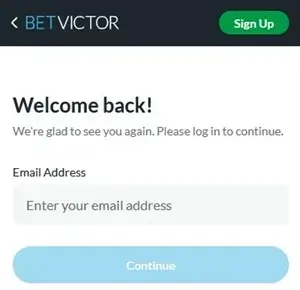
- Click the green “Log in” button at the top of the homepage.
- Enter your email address or username and select ‘Continue’.
- Enter your account password.
- Click the blue ‘Log In’ button underneath.
This is all you need to access your account. After you log in, you can easily log out at any time by opening your account menu, scrolling to the bottom and clicking ‘Log Out’.
BetVictor Login via Mobile App
Using the BetVictor app, you can sign in with your existing email or username and password. Consequently, you do not need a separate mobile account.
The login steps are largely the same as on desktop. However, there is one main difference. After you input your email/username and password, the BetVictor app will ask if you want to ‘Unlock with biometrics’. Selecting ‘Ok’ means that for future login attempts, you will need to provide fingerprint or facial recognition. However, this does not replace the standard login. Instead, it acts as an extra layer of security.
Forgotten Your BetVictor Password? How to Reset It
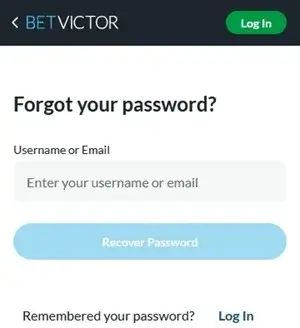
If you cannot remember your BetVictor password, you can easily reset it. On the login page, when asked for your password, there is a link that says ‘Forgot Password’. Next, after you select this link, BetVictor will ask you to input your email address or username.
An email address is the easiest option, so add this and BetVictor will send you a six-digit verification code via email, usually within seconds. Enter the code you receive on the original page, and then you can create a new password. Generally, this works best if it is all done within the same browser.
Why Can’t I Log In to BetVictor?
Here are the most common reasons why you cannot complete the BetVictor login process:
- Incorrect email/username: Double-check your details.
- Incorrect password: You can select the eye icon to reveal your password as you type it, to make sure you enter it correctly.
- Outside the UK: If BetVictor recognises you are currently outside the UK, they may prevent you from accessing their services. You should not use a VPN to bypass this.
- Temporary technical problems: Clear your browser cache, try another browser or update the app, then try again later.
- Account restrictions: Accounts can be restricted or closed for security, verification or responsible gambling reasons.
If you cannot access your account and are sure your credentials are correct, contact BetVictor customer support.
FAQ
What should I do if I forget my BetVictor password?
If you forget your BetVictor password, use the ‘Forgot Password?’ link on the page asking for your password and follow the steps.
Can I use the same BetVictor login credentials on mobile and desktop?
Customers can only hold one BetVictor account. Moreover, the same login credentials work on desktop, the mobile website and the app.
What should I do if my BetVictor account is locked?
If your BetVictor account is locked and you are not sure why, speak to a member of customer support via chat or email (help@betvictor.com).
How do I recover my BetVictor username?
You cannot recover your BetVictor username manually. Consequently, you should contact customer support.
No comments added yet. Be the first!